Home/GST Mobile Number Guides/Check Mobile Number Using GSTN Records: Matching the Name Behind the Number
Check Mobile Number Using GSTN Records: Matching the Name Behind the Number
Check mobile number using GSTN records by matching the legal name on the GST search with the name a payment app shows for that mobile, before you pay or ship.
GST Identification Number
27ABCDE1234F1Z0
- Legal nameSample Traders Pvt Ltd
- StateMaharashtra (27)
- RegistrationActive
- Phone+91 98XXX XXXXX
- Emailc****@example.com
Illustrative result. Request a sample format for live records.
Reading time 6 min
Last reviewed October 2026
Check mobile number using GSTN records when someone gives you a mobile number and a GST number together and asks you to send money, goods or documents. The question is simple: does this mobile belong to the business, or at least to a person connected with it? There is no official service that confirms a mobile number against a GSTIN for third parties, but there is a practical, widely used check that often answers the question in under a minute: comparing the names.
The GST record gives you the legal name of the business, which for a proprietorship is the owner’s own name. Many payment apps show the name of the bank account holder linked to a mobile number before you confirm a transfer. When those two names line up, you have a meaningful signal. When they do not, you have a reason to slow down. This guide explains how to run that comparison sensibly, what it can and cannot prove, and how to use it without crossing privacy lines.
Quick answer
- The GST portal does not let outsiders confirm which mobile is registered to a GSTIN.
- The legal name on a GST record is the owner’s own name for proprietorships.
- Payment apps often show the linked account holder’s name before a transfer is confirmed.
- A name match is a useful signal, especially before paying a new proprietor.
- A mismatch is not proof of fraud, but it is a reason to verify further.
What the GST System Will and Will Not Confirm
Every GST registration has a mobile number and email on file, verified by one-time passwords when the registration was made. Those details are used for logins, return filing and official communication. They are not shown in the public taxpayer search and cannot be queried by other people. No legitimate website or app can tell you the mobile registered on someone else’s GSTIN, and services that claim to are either guessing or misusing data.
So when you want to check a mobile number using GSTN information, you are really checking it against the public parts of the record: the legal name, trade name, constitution and address. The name is the most useful of these for a mobile check.
Why the Legal Name Matters Most
For a proprietorship, the legal name in the GST record is the name on the owner’s PAN, which means it is the owner’s personal name. The trade name is the shop or brand name. So a GST search on a proprietor’s GSTIN tells you exactly whose business it is.
For partnerships, LLPs and companies, the legal name is the entity’s name, not a person’s. The name check still works, but differently: a business bank account linked to the mobile may show the firm or company name, while a personal account will show a partner’s or employee’s name, which you would then need to check against the firm’s partners or the company’s directors.
Running the Name Check Before a Payment
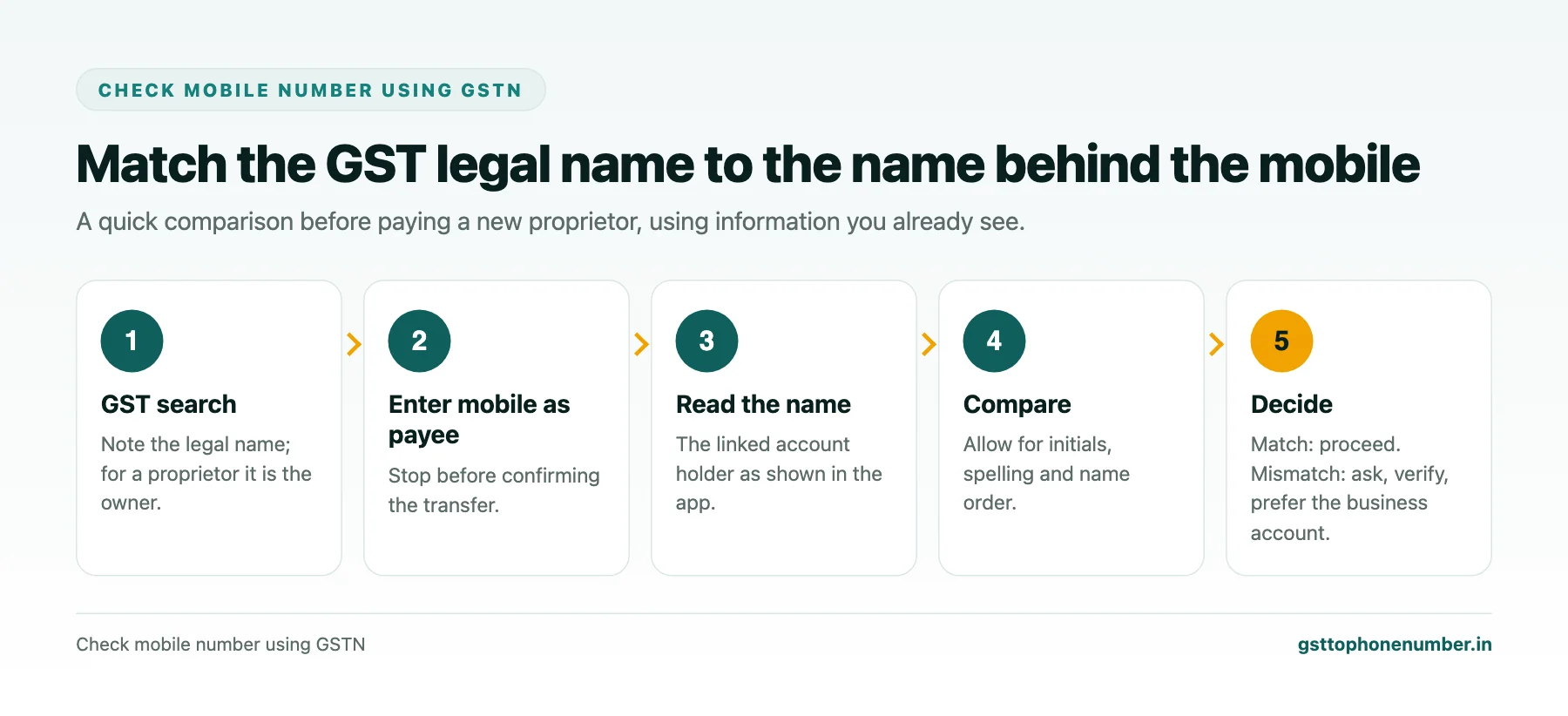
Suppose a new supplier, a proprietorship, asks you to pay an advance by transfer to a mobile-linked account. Search the GSTIN they gave you and note the legal name. In your payment app, enter the mobile number as the payee, and before confirming, read the name the app displays for the linked account. Compare it with the legal name, allowing for initials, spelling variations and the order of first and last names.
If the names match, you have good reason to believe the account belongs to the proprietor. If the app shows a completely different person, stop and ask. There may be an innocent explanation, such as a family member’s account, but you should hear it, and ideally pay to the business’s own account with an invoice instead.
Need the contact behind a GSTIN?Get the sample format with verified business contact fields.
Reading Matches and Mismatches Sensibly
Names in India are written in many ways. A proprietor named in the PAN with full first, middle and last names may appear in a bank record with initials only, with the surname first, or with a slightly different spelling. Treat these as matches when the core names clearly correspond.
Genuine mismatches have several possible explanations. The proprietor may have given a spouse’s or parent’s mobile. The business may have changed hands without updating the GST registration. Or someone may be using a real business’s GSTIN to collect money into their own account. Only the last is fraud, but you cannot tell which from the mismatch alone, so treat every unexplained mismatch as a reason to verify through another channel.
The Same Idea Without a Payment
You do not need to make a payment to compare names. A short call to the mobile, asking for the proprietor by the legal name in the GST record, often tells you just as much. A genuine proprietor answers to their own name naturally. Someone else will either correct you, explain the connection, or hesitate.
Some telecom networks and phone apps also display a caller name, and regulators in India have been working on a network-level calling name display. Treat any displayed caller name as a hint rather than proof, because it may be user-supplied or out of date.
What the Name Check Cannot Prove
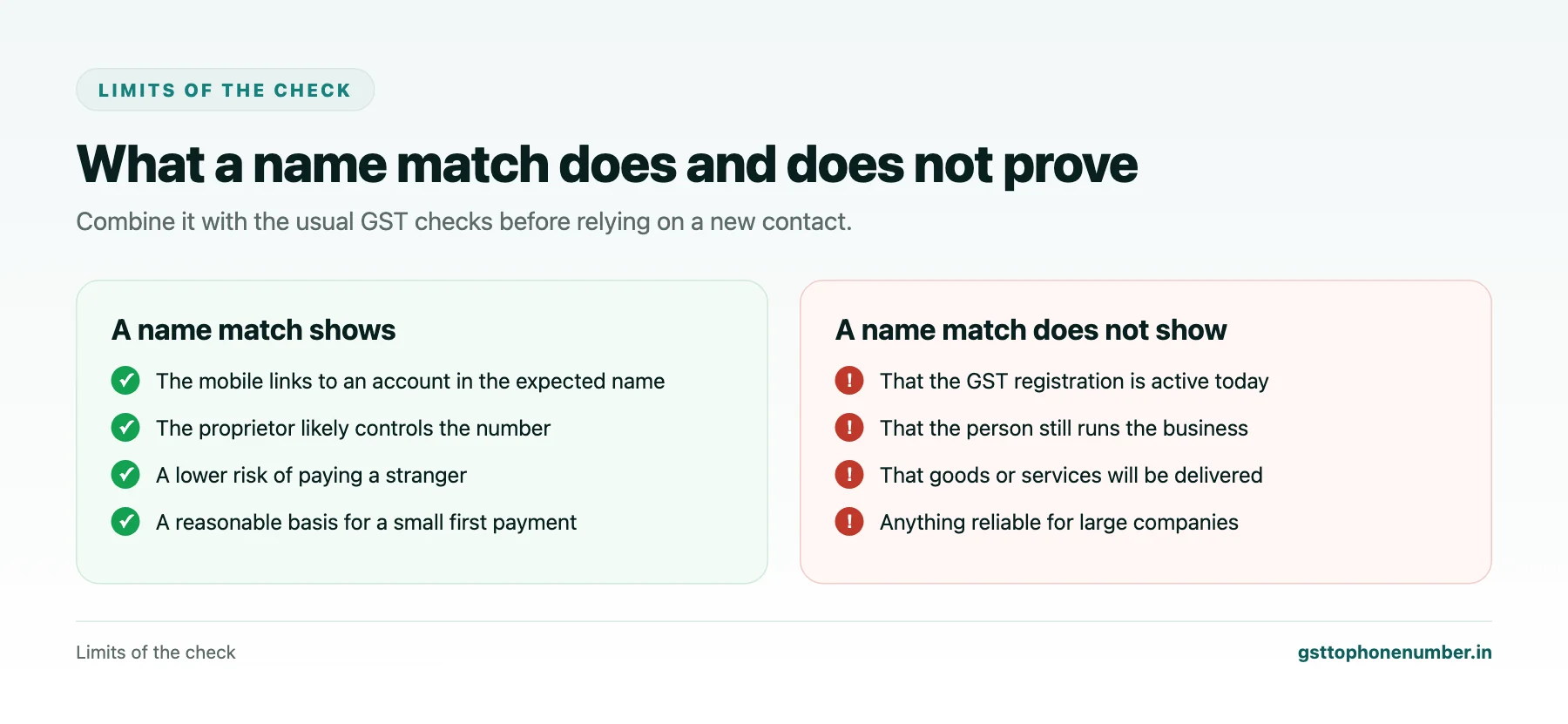
A name match shows that the mobile is linked to an account in the expected person’s name. It does not show that the person is still running the business, that the GST registration is active, or that the goods or services will be delivered. Combine the name check with the usual GST checks: status, address and filing history.
The check is also weaker for companies and larger firms, where many people handle payments and phones, and where the right answer is usually to pay a business account against an invoice rather than any mobile-linked account.
Want to see real match quality?See the sample format for your own GST numbers.
Using the Check Responsibly
The name check uses information that payment apps show precisely so that payers can avoid sending money to the wrong person. Use it for that purpose: before a payment, a delivery or a document exchange with a business you are genuinely dealing with. Do not use it to look up names behind numbers for curiosity or for building contact lists, and do not record or share the names you see beyond what the transaction needs.
When to Insist on the Business Account
For larger amounts, for partnerships and companies, and whenever a name check fails, insist on paying the business’s own bank account, with the details printed on its invoice and confirmed by a call to a number you found independently. A genuine business will have no difficulty with this, and it removes most of the risk that a mobile-linked transfer carries.
Have a list of GSTINs?Send a few and we will return matching contact fields.
Related guides
Find vendor mobile number by GST number: a related guide.
Check Business Phone From GST Number When a Caller Claims to Be Someone: a related guide.
Find proprietor mobile by GST number: a related guide.
Frequently Asked Questions
Can I check which mobile is registered on someone's GSTIN?
No. The registered mobile is used for logins and official communication and is not shown in the public search or available to third parties.
How can I check a mobile number using GSTN information?
Compare the legal name from the GST search with the name linked to the mobile, for example the account holder name a payment app shows before you confirm a transfer.
Why is the legal name useful for proprietorships?
For a proprietorship it is the owner’s own name from their PAN, so it should match the person behind the business mobile.
What if the names do not match?
Ask for an explanation and verify through another channel. Prefer paying the business’s own account against an invoice.
Is a displayed caller name reliable?
Treat it as a hint only, since it may be user-supplied or outdated.
Is it acceptable to look up names behind mobile numbers?
Only for a genuine transaction such as a payment or delivery. Do not use it for curiosity or for building contact lists.
 GST To Phone Number
We help sales, procurement and compliance teams turn a GST registration number into a verified, reachable business contact.
Company
Get Sample Format
Send us a few GSTINs and we will return the matching contact fields so you can judge the data before you buy.
© 2026 GST To Phone Number. All rights reserved.
Disclaimer: GST To Phone Number is an independent data service. We are not affiliated with, endorsed by or connected to the Goods and Services Tax Network, the Central Board of Indirect Taxes and Customs, or any government department. GSTIN verification should always be confirmed against the official GST portal. Contact data is provided for legitimate business use and must be used in line with applicable telecom, privacy and data-protection rules.