Home/GST Contact Search Guides/Check Contact Number From GST Number When Your Systems Disagree
Check Contact Number From GST Number When Your Systems Disagree
Check contact number from GST number when accounts, CRM and sales phones list different numbers. Use the GSTIN as the key to reconcile them into one truth.
GST Identification Number
27ABCDE1234F1Z0
- Legal nameSample Traders Pvt Ltd
- StateMaharashtra (27)
- RegistrationActive
- Phone+91 98XXX XXXXX
- Emailc****@example.com
Illustrative result. Request a sample format for live records.
Reading time 6 min
Last reviewed October 2026
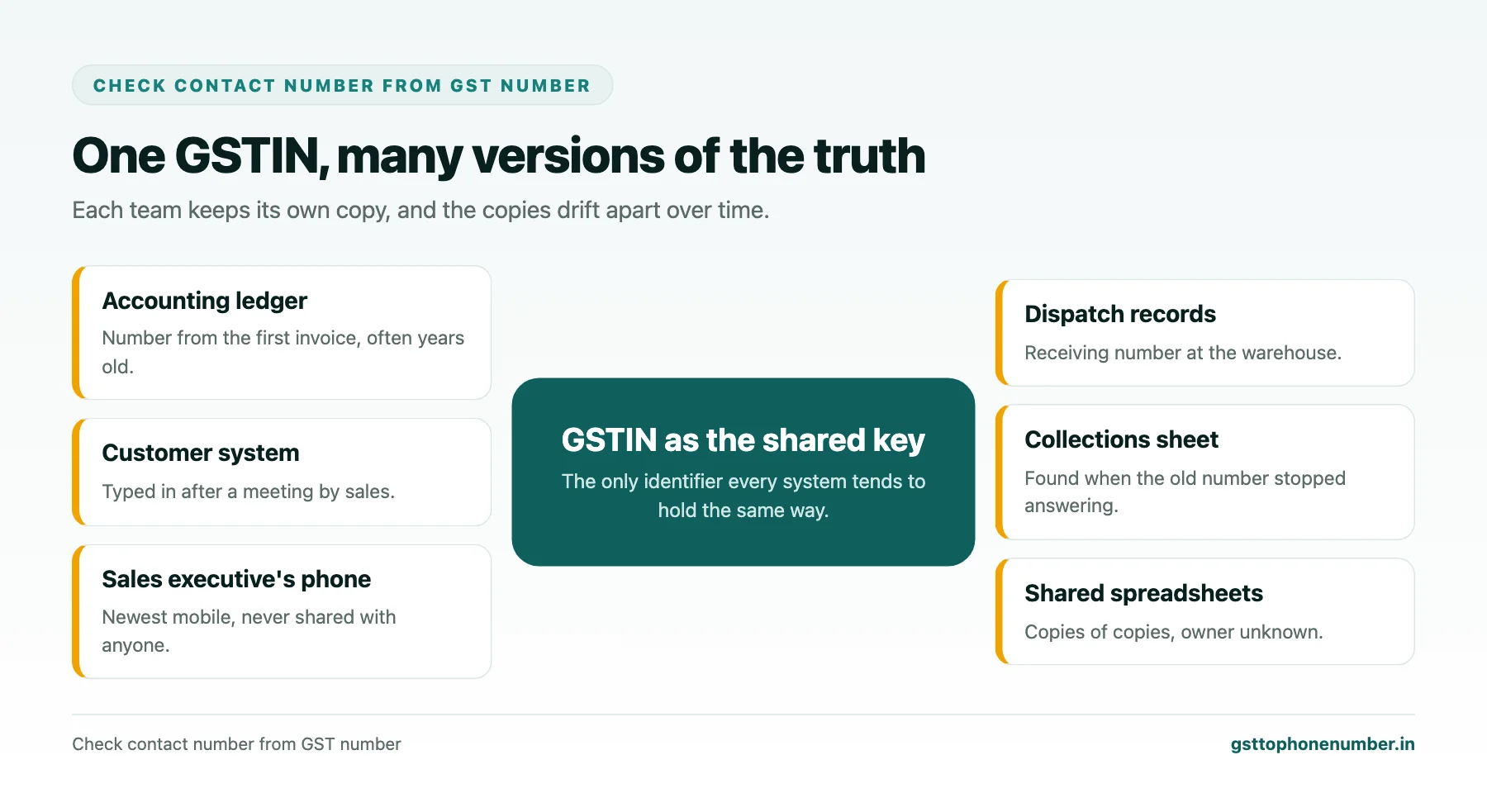
Check contact number from GST number records in most businesses and you will find the same customer described three different ways. The accounting software has the number from the first invoice years ago. The customer system has a number a sales executive typed in after a meeting. The executive’s own phone has a newer mobile that never made it into either system. When a payment is late or an order needs confirming, staff call whichever number they find first, and too often it is the wrong one.
The GSTIN is the one identifier all these systems usually share, which makes it the natural key for sorting out the mess. This guide explains how to bring contact numbers from different systems together by GSTIN, decide which number is right, and set simple rules so the systems stop drifting apart again.
Quick answer
- Most businesses hold conflicting numbers for the same customer in different systems.
- The GSTIN is the shared key that lets you line the records up.
- Decide which number is right using dates, sources and a confirmation call.
- Choose one system as the master for contact details.
- Make updates flow from the master, not from whoever edits last.
How Systems Drift Apart
Contact details enter a business through many doors. Accounts staff create a party ledger when the first invoice is raised. Sales teams add contacts to a customer system after calls and meetings. Dispatch teams note a receiving number for deliveries. Collections staff find a new number when the old one stops answering. Each team updates its own system and rarely tells the others.
Over time, the same customer ends up with several numbers spread across systems, some current and some long dead. Nobody knows which is right, and the cost shows up as wasted calls, delayed payments and frustrated customers who are asked for their number again and again.
Step One: Export Everything With the GSTIN
Start by exporting contact details from every system that holds them: the accounting software’s party ledgers, the customer system, the dispatch or logistics records, and any shared spreadsheets used by sales or collections. Each export should include the GSTIN, the name as stored in that system, every phone number and email, and any date that shows when the record was created or last changed.
Where a record has no GSTIN, look it up from invoices or ask the team that owns it. Records that cannot be linked to a GSTIN need separate handling, because they cannot be reconciled reliably by name alone.
Step Two: Line the Records Up
Combine the exports into one table with one row per GSTIN and per number, showing which system each number came from and its date. Clean the numbers into a single format first, so that the same number written two ways is recognised as one. Then group by GSTIN.
For each GSTIN you will see one of four situations: all systems agree on one number; systems hold different numbers that are all plausible, such as an office line and an owner’s mobile; one system has a newer number that others lack; or numbers conflict in a way that suggests some are simply wrong.
Need the contact behind a GSTIN?Get the sample format with verified business contact fields.
Step Three: Decide Which Number Is Right
When numbers conflict, use evidence in this order. First, any number confirmed recently by a call or a reply. Second, the most recent number from a team that uses it regularly, such as collections or dispatch, because those teams find out quickly when a number stops working. Third, numbers that match the GST record’s location, such as a landline whose city code fits the principal place of business. Older numbers from systems nobody updates come last.
Where the evidence is unclear, make a short confirmation call to the customer, ask for the best numbers for accounts and for orders, and record them with the date. Customers rarely mind being asked once, especially when you explain that you are tidying your records so they are not called on the wrong number again.
Step Four: Record Roles, Not Just Numbers
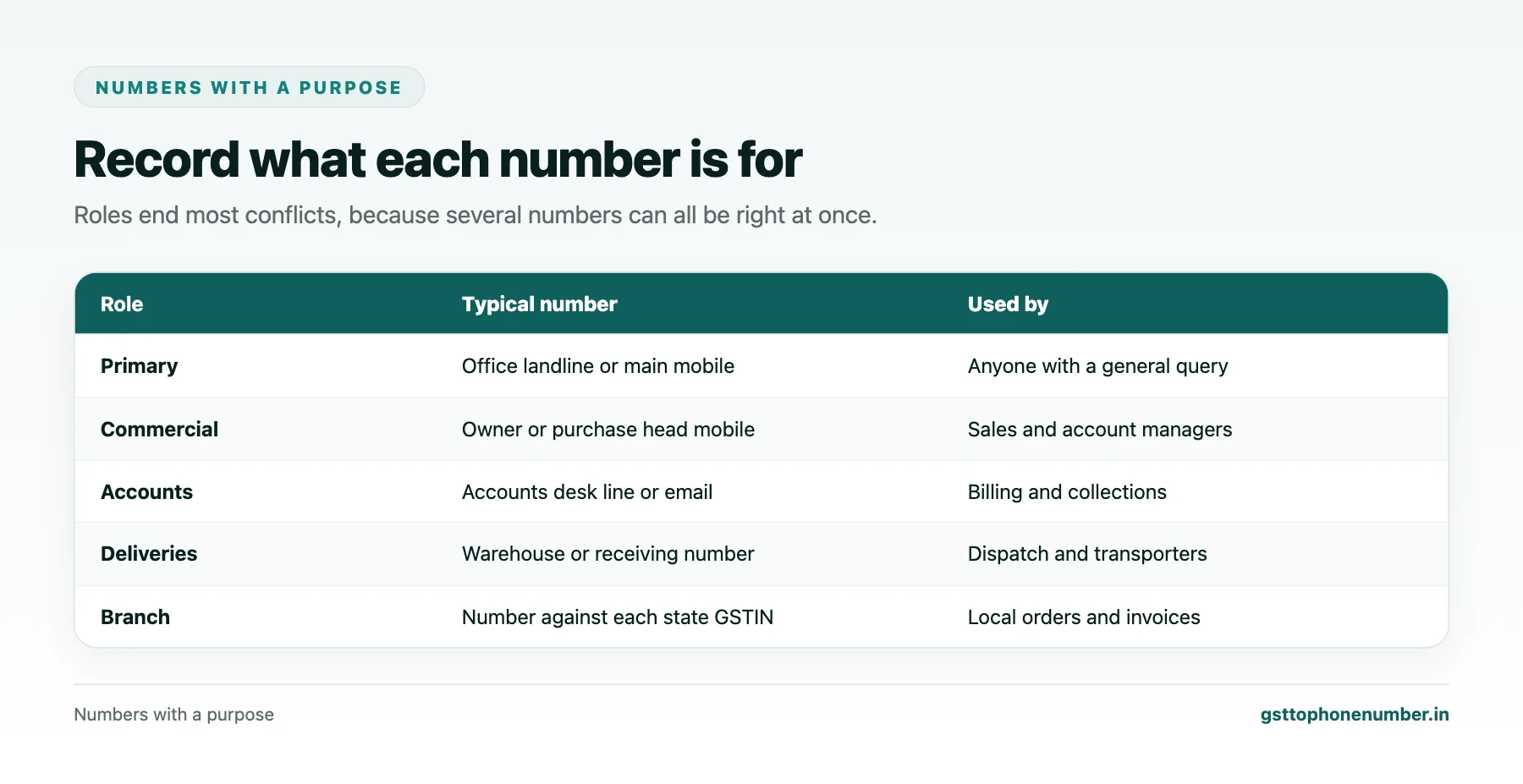
Many conflicts disappear once you record what each number is for. The office landline reaches reception, the owner’s mobile is for commercial decisions, the accounts desk handles invoices and payments, and the warehouse number is for deliveries. Recording a role against each number lets every team find the one they need without overwriting anyone else’s.
Keep a primary flag for the number to use when no specific role is needed, and make sure every number carries a last-confirmed date.
Step Five: Pick a Master and Set the Flow
Reconciliation is wasted unless the systems are kept in step afterwards. Choose one system as the master for contact details, usually the customer system or the accounting software, depending on which is used more widely. All changes go into the master first, and other systems receive updates from it, either automatically or through a regular sync.
Give every team a simple way to report a changed number, such as a form or a field in the master, rather than letting them edit their own copies. Record who made each change and when, so a wrong edit can be traced and undone.
Want to see real match quality?See the sample format for your own GST numbers.
Handling Customers With Several GSTINs
Large customers often have several GSTINs, one for each state where they operate, all sharing the same PAN. Their contact numbers should be organised the same way: a head office contact for commercial matters, and branch contacts against each GSTIN for local deliveries and invoices. Reconciling by GSTIN keeps branch numbers attached to the right location, while the PAN lets you see the whole customer at once.
Making Reconciliation a Habit
A full reconciliation is a project; keeping things tidy afterwards is a habit. Review conflicting or unconfirmed numbers each month, reconfirm contacts for your largest customers once in a while, and treat every bounced email or wrong-number call as a prompt to update the master. Within a few months, staff stop asking which number is right, because the master answers that question for them.
Have a list of GSTINs?Send a few and we will return matching contact fields.
Related guides
Find vendor phone number by GST number: a related guide.
Frequently Asked Questions
Why do my systems show different numbers for the same customer?
Each team adds and updates numbers in its own system without telling the others, so the records drift apart over time.
How does the GSTIN help reconcile contact numbers?
It is the identifier all your systems usually share, so you can group every number for one customer reliably, unlike names that vary in spelling.
Which number should I trust when they conflict?
A recently confirmed number first, then the latest number from a team that uses it often, then numbers that fit the GST location. Confirm with the customer when unclear.
Should I keep only one number per customer?
No. Keep several with clear roles such as accounts, orders and deliveries, plus a primary flag and confirmation dates.
What is a master system for contacts?
The one system where all contact changes are made first, from which other systems receive updates.
How should customers with several GSTINs be handled?
Keep branch contacts against each state GSTIN and a head office contact for commercial matters, linked through the shared PAN.
 GST To Phone Number
We help sales, procurement and compliance teams turn a GST registration number into a verified, reachable business contact.
Company
Get Sample Format
Send us a few GSTINs and we will return the matching contact fields so you can judge the data before you buy.
© 2026 GST To Phone Number. All rights reserved.
Disclaimer: GST To Phone Number is an independent data service. We are not affiliated with, endorsed by or connected to the Goods and Services Tax Network, the Central Board of Indirect Taxes and Customs, or any government department. GSTIN verification should always be confirmed against the official GST portal. Contact data is provided for legitimate business use and must be used in line with applicable telecom, privacy and data-protection rules.